
See what needs attention
Find a computer. See if it is online, where it is, and when it last checked in.
For Microsoft-focused MSPs and support teams
Inspect a computer, propose the work, approve it when your rules require it, run it, and keep the evidence. Your technicians and your AI tools use one governed path to real Windows, macOS, and Linux computers.
The hands of FlowSuite
FlowRMM is the hands of FlowSuite. When FlowPSA picks up a ticket, AI agents run the fix through FlowRMM on the real computer, verify it worked, and close the ticket with proof attached. Every action can be gated with human-in-the-loop or four-eyes (two-person) approval, and high-risk actions always wait for a person.
Managing your own computers? Start free
Find a computer. See if it is online, where it is, and when it last checked in.
Open a remote console in your browser. View and control Windows and macOS, or use a console on Linux.
See requested actions, who approved them, and the result, all on one record.
A person or a connected AI tool looks at the computer and its status.
They request a named action, like an install or a script, for that computer.
When your rules require approval, a person decides if it runs.
The action runs. The request, the approval, and the result stay on the record.
Access and approval rules decide what a person or an AI tool can do. High-risk work always waits for a person. Admins can let some low-impact actions run by policy in the environments they choose. Read how approvals work
Product tour · Example product views
Example product views from the FlowRMM portal. Click any screenshot to expand it.
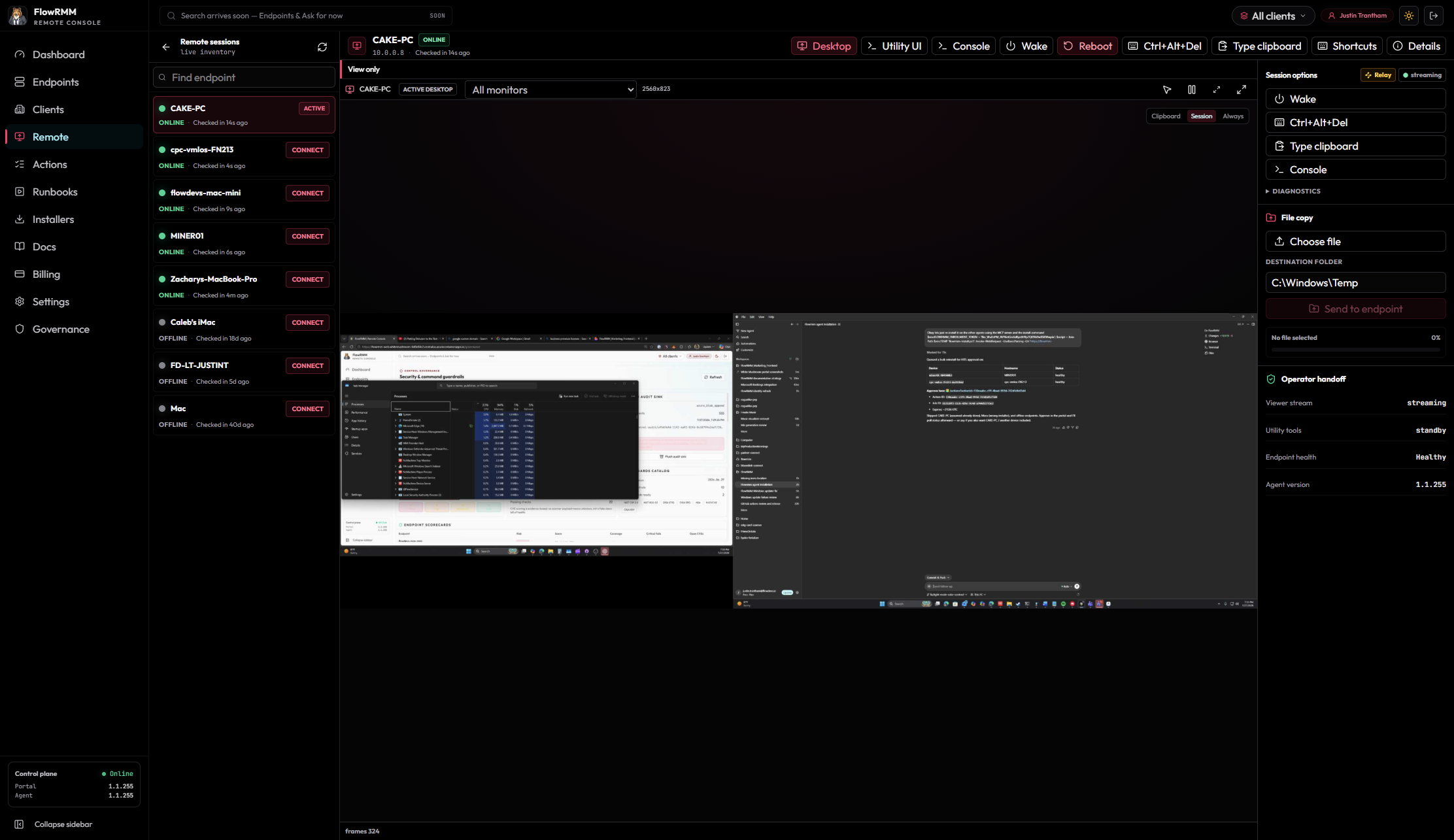
“See and control the screen, or open a console, with nothing to install on your side.”
Connect to an enrolled computer from your browser. On Windows and macOS you can see the screen and use the keyboard and mouse. You can also open a console for diagnostics. Linux computers run the same agent for console and command work; remote view depends on the desktop session available.
For MSPs and support operators
Pick one task your team repeats. We agree on the setup together, then run it on one of your computers in a working demo, with your approval rules in place.
Good starting examples: inspect a computer's status, request a software install, or verify an observed result.
How the supervised demonstration works
Bring one support task your team handles again and again.
Together we pick the computer, the allowed actions, who approves them, and the success check.
AI agents inspect and run the fix through FlowRMM. A person approves when your rules require it.
A fresh check confirms it worked, and the request, approval, and result stay on the record.
How it works in FlowSuite
FlowRMM is the hands of FlowSuite. When FlowPSA picks up a ticket, AI agents run the fix through FlowRMM on the real computer, verify it worked, and close the ticket with proof attached. Every action can be gated with human-in-the-loop or four-eyes (two-person) approval, and high-risk actions always wait for a person.
What happens next
FlowSuite
Staff chat with AI to report issues and get updates.
Autonomous ticketing.
Secure action on the computer.
FlowRMM Business can run in your own Azure subscription, behind the sign-in and network rules you already use.
Operators and connected AI tools work under roles and approval rules. AI can look and ask. Your rules decide what runs.
Action records show what was requested, the approval when required, and the result.
Want the detail? See our security approach or read the docs.
Flow Personal
Create a passkey account, add a computer you own, then connect from your browser or phone. Your phone is a viewer and uses no computer slot.
Two owned computers, indefinitely. No payment card required.
Ten computers total, in USD before applicable tax. Upgrade in your account when you need more computers.
Both plans include passkeys and the same available remote-control capabilities. No connection, minute, or session-duration charges. Available capabilities depend on your computer, permissions, and desktop session. Plus renews monthly until canceled; access continues through the paid period.
For adults in the United States using their own U.S. computers. Terms · Privacy and support
Connect your AI
AI is optional. MCP is a connection that lets a compatible AI app use FlowRMM. The Agent Plugin adds our operating instructions and the connection URL. You still sign in and review the requested access.
Connect to your own computers with your Personal passkey. Your AI can inspect their status, request commands, capture screenshots, and request desktop input. Commands and input wait for your approval by default.
https://personal.flowrmm.com/api/v1/mcpDownload Personal Agent PluginOr paste the MCP URL into your AI app. Sign in and approve the connection; screenshots are included in that consent. Your Free or Plus computer limits still apply.
Business connects to your organization’s own portal. Ask your administrator for its URL, then add /api/v1/mcp.
https://<your-business-portal>/api/v1/mcpDownload the Agent Plugin from that portal’s Installers page for a package with the correct URL. Sign in with your organization’s account. Its roles, licensed tools, and approval policies determine what your AI can do.
Each Business deployment has its own connection. The Personal URL reaches your Personal computers only.
Plugin downloads contain no credentials and grant no extra access. Availability depends on your AI app’s MCP or Agent Plugin support.
FlowRMM helps you reach and look after computers from your browser. The current release is Remote Console: find a computer, connect to it, request actions, and keep a record of the work. It is for support teams, internal IT, and small teams. Technical terms: it includes remote desktop and terminal access, human-in-the-loop (HITL) approval for important actions, action history, and an MCP connection that lets compatible AI apps use FlowRMM. It does not replace every part of a full RMM (remote monitoring and management) suite.
FlowRMM deploys into your organization's own Azure subscription using Bicep templates. The Azure Marketplace listing is not live yet; join the waitlist and we will help you get set up. Endpoints connect to your isolated instance, where keys and audit logs remain under your tenant governance.
AI is an optional helper. MCP (Model Context Protocol) is a connection that lets compatible AI apps use FlowRMM. FlowRMM includes a Model Context Protocol (MCP) server endpoint (/api/v1/mcp). Compatible AI clients can check computer status and request actions. Support depends on your AI provider or host and on the roles you configure. Your roles and approval rules decide what happens next. Raw commands and high-risk actions wait for a person. Admins can let selected low-impact action types run by policy in chosen environments.
Human-in-the-loop means a person reviews important work before it runs. Four-eyes means a different person reviews the request. By default, FlowRMM uses four-eyes approval: the person or agent who requests an action cannot approve it. Operators review the command, target computer, and impact in the Actions queue. Admins can allow self-approval for selected environments. Once approved, the agent runs the task and returns exit codes and output.
FlowRMM starts at $100/month. Add FlowPSA for a combined price starting at $150/month. FlowRMM: the greater of $100/month or $1 per endpoint/month. FlowPSA add-on: $0.50 per endpoint/month, with a 100 endpoint minimum. FlowPSA is only sold with FlowRMM Business. FlowRMM deploys into your own Azure subscription. The Azure Marketplace listing has a waitlist. Existing Stripe Business subscriptions keep their current contract.
Yes. FlowRMM deploys into your own Azure subscription. The Azure Marketplace listing is not live yet; join the Business waitlist and we will help you get set up. Flow Personal is separate and you can start it free.
You bring one support task your team repeats, such as checking a computer's status, requesting a software install, or confirming an observed result. We agree on the computer, the allowed actions, who approves them, and the success check, then run it together in a working demo.
Yes. FlowRMM is the hands of FlowSuite. When FlowPSA picks up a ticket, AI agents run the fix through FlowRMM on the real computer, verify it worked, and close the ticket with proof attached. Every action can be gated with human-in-the-loop or four-eyes (two-person) approval, and high-risk actions always wait for a person.
FlowRMM provides lightweight agents for Windows, macOS, and Linux computers (endpoints). Supported capabilities include browser-native remote desktop view and control on Windows and macOS, and interactive terminal consoles and file copy across platforms.
With the customer-hosted Business option, your FlowRMM instance runs in an Azure subscription you govern. Its secrets can live in your Azure Key Vault, its logs can go to your Microsoft Sentinel, and sign-in follows your Entra ID and Conditional Access rules. See the Security page for details.
FlowRMM deploys into your own Azure subscription. The Azure Marketplace listing isn't live yet. Join the waitlist and we'll help you set up Business billing.
Tell us one recurring support problem and we will use it to scope a supervised demonstration. FlowRMM starts at $100/month. Add FlowPSA for a combined price starting at $150/month.
Managing only your own computers? Start free with Flow Personal. Want to hang out first? Discord is open.
FlowRMM Business · waitlist request